Easy steps to connect the play station to wireless or Wifi network:
Before connecting the play station to wireless or wifi network, make sure that you have all the wireless settings of your network. You need to know the name of your SSID , The type of security and the security key or password if any. Also make sure that the SSID broadcast is enabled. The wireless MAC filter should be disabled. If the wireless MAC filter on your router is enabled then you will need to add the MAC address of your play station or simply disable the wireless MAC filter if you have secured network.
If you are not sure about the settings then you will need to connect the computer to the router and check the settings of the network.
Click here to know more about how to check the settings of your wireless network.
All right ! Now you have the settings of your network. let’s connect to the network on play station.
Now go to the settings page of the PLAY STATION.
- Go to Network settings.
- Go to Internet connection settings.
- Go to wireless settings. If you get confirmation screen stating that you will be disconnected from the Internet Click YES.
- Now Select EASY.
- Then Select WIRELESS.
- Go to SCAN.
- You will see the SSID that is the name of your wireless network. Select your wireless network from the list.
- Select security settings and enter the network key or password.
- Select the IP address settings as EASY.
- Save your settings and test the connection.
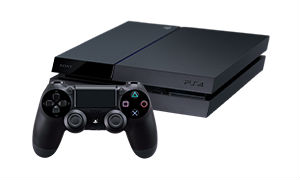
Sometimes you may need to adjust the MTU settings of your router. Change the MTU settings to 1365. You may also need to open the ports for the play station. For this you will need to access the router set up page and trigger the ports. the port numbers for the play station will be 80 , 443-447, 5223, 3478-3479, 3658, 10000-20000.
Click here to know more about how to open the ports on the router.
Easy setup guide is designed to work with Linksys wireless router , Netgear wireless router, D Link wireless router and all other brands of routers.
playstation wifi not working.
I Updated my PS4 this morning and after the update it can not connect to wifi . It comes up with the error NW-31297-2 that my password might be wrong but im pretty sure the password is correct my Internet connection works well on other devices so I dont get what is the problem here ..
Just bought new PS3 on Xmas. Trying to connect PS3 to wifi connection but not able to join the connection. I have also bought new Linksys E4200 which has been working great. All my computers and devices are able to access the Internet through E4200. Only PS3 is not connecting to the Wifi. I am not sure whether it is router issue or PS3 issue.
I can access Internet on my play station but I can not play game with other friends. I get NAT type strict on Play station. I opened the ports and also disabled the firewalls. Upgraded the firmware too. What other settings do I need to change?
How do I connect my play station to the wi-fi? I tried it many times but could not get it working. I also have Xbox and it is working fine with the same wi-fi connection.
How do I get my wpa key?
New router linksys e1200. I can not connect play station to the wireless network. I am not sure about the network password.
My PS3 can not access the Internet. I have a linksys wireless N router which is working good with all the other computers / devices in the network. Also I am getting NAT type strict on my xbox.
I’m trying to connect to my Playstation 3 with the Linksys E1000 V2 router. I do not have a computer or a laptop, just my Playstation and only my Playstation. Entering admin as the password doesn’t work, says it isn’t valid. How do I get this to work?
I am trying top connect the play station to the network. I need the password for the wireless network and I also have some port numbers that i want to open on my router. how do I do it ?
I can not connect the play station to the network. i have D link router and I am not getting IP address on my PS3. I am sure about the wireless settings of the network
Do you have any computer connected to the router. Open the setup page of the router and check the wireless settings.
Good information for Play station people.
Thanks
My play station is not connecting to the network. sometimes it connect and sometimes not. The same problem with my laptop also.
You are facing the same problem on your laptop also. I think it must be issue with the router. If your router is too old then try to upgrade the firmware of the router . Also check the settings of the router.
I am trying to connect the play station . I can see my SSID on Play station but not sure about the password. how can I check it.
You will need to check the settings of your router. Open the set up page of the router. Follow the steps of Easy set up Guide.