How to connect Xbox to the wireless network ( xbox wifi setup)
Easy steps to connect Xbox to the wireless network. Before connecting the xbox to the wireless network, make sure that you have all the settings of your network.
You will need the name of the SSID and the key or password. If you don’t know the settings of your network then you will need to connect the computer to the router and open the settings page of the router. On this page you will find all the settings. make sure that the SSID broadcast is enabled on the router. Also the wireless MAC filter should be disabled.
Click here for more information about how to check the wireless settings.
Once you have all the settings, you can connect to the wireless network on X-box.
On the x-box you will need to connect to the wireless network now. Open the main Interface of the X-Box.
- In the X-box Dashboard, go to My X-box and open System Settings.
- Select Network Settings, Configure Network or Edit settings.
- On the Basic Settings tab, select your wireless settings.
- Select the name (SSID) of your wireless network. If your router isn’t broadcasting your network’s name, select Specify Unlisted Network and enter the name.
- If your network has wireless security, enter your WEP or WPA key.
- Try to connect to X-box LIVE again.
If it is connected to the wireless network, you will be able to play the games.
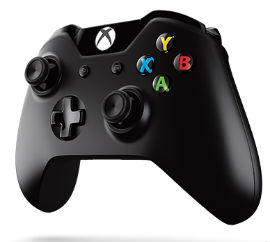
Some times while playing the games on x-box, you may get error regarding NAT type. It will give you error that NAT type is not open. To set NAT type to open you will need to change the settings on the router.
Click here for more information about how to set NAT type to open.
Click here to access Easy set up Guide.
Easy setup guide is designed to work with Linksys wireless router , Netgear wireless router, D Link wireless router and all other brands of routers.
I Cant connect to xbox live with the router with older routers i used like n300 i had to change something in the firewall settings or lower the firewall setting but on this router im not sure what to do.
What is the best configuration for N750 to communicate with xbox one for online purposes
How do connect my Xbox to wifi connection.
I just bought Linksys E3200 and all my wifi devices are connected and able to access the Internet. But I can not connect my xbox to the wifi. I can see the ssid but not able to join it.
Can not connect to Xbox live. It says NAT type 2. How do I set NAT type to open. The Xbox is connected to the same SSID which my laptop is connected. My laptop can access the Internet but Xbox can not.
i have connected my x-box 360 wireless before but i lost the wep key code can you help
I have been trying to connect to the wireless network on my xbox for last 2 days. with no avail. I am tired of changing the settings on my new linksys e1200 router. sometimes I am able to connect to the network then I get NAT error.
Not able to connect to the Internet on xbox. I have Linksys E4200 wireless router which works great with all my wireless computers.
I am trying ton connect the X box to the wireless network. I need the ssid , wpa key and also need to open the ports on the router. i am not able to access the setup page of the router. I have linksys wrt160n router.
I am trying to connect to the wireless network on my X box. I have D link router. I am not sure about the name and the password for my network.
My x box is connected but I can not play games with other people. I can see them But I can not join them.
My x-box is not connecting. How do I check the settings of the network.
Check the settings of your wireless network and try to connect. Follow the steps of Easy set up Guide.
thanks for your help. My x-box is now connected to my own SSID.
My X box is not connecting to the wireless network. How can I see my SSID. I am not sure about the settings of the router.
You will need to check the settings of your wireless network. Do you have any computer connected to the router ? If not then connect the computer to the router and open the set up page of the router. Check the wireless settings and then try to connect.
well written blog. Im glad that I could find more info on this. thanks
I know the settings of my wireless but I don’t know how to connect to the network on my x-box. I can see the SSID but it is not taking the password.